If you are looking for Raise the Biggest Family Houses, treat your House as a working family base rather than decoration. It is where you bring an adopted Baby home, place the child in a Crib, prepare bottles, and organize the space needed for more care tasks. When the family reaches the current limit, the useful next decision is to save Coins for a Bigger House instead of assuming that another piece of furniture will increase capacity.
What the House does
The House connects three parts of progression:
- Family capacity: The recorded gameplay example shows
1 out of 3 kids, documenting a three-child starting capacity. Bigger Houses are the supported route for allowing more adoptions. - Baby placement: After adoption, choose
Take Me Home, return to the House, and place the Baby in a suitableCrib. - Care and storage: Facilities and household items give you room to prepare bottles, perform care tasks, and keep supplies organized as the family grows.
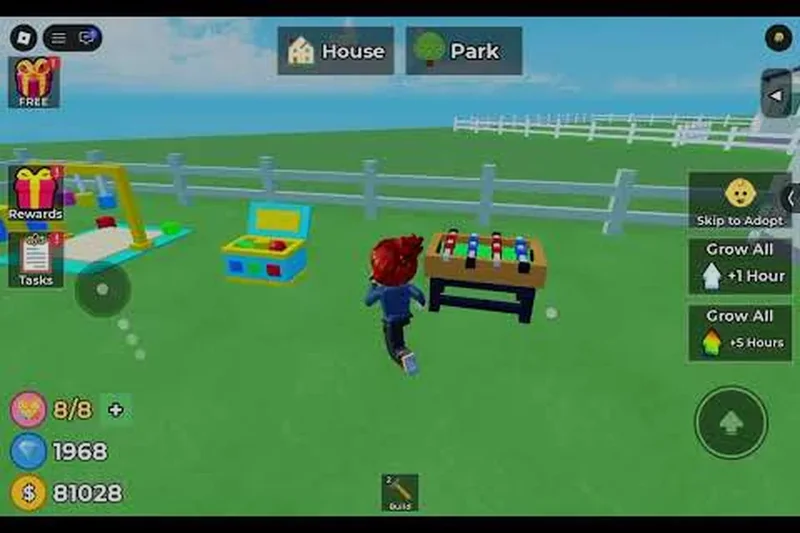
The evidence does not provide a complete list of House tiers or prove a separate capacity value for each upgrade. Use the live capacity counter and the current purchase panel as the decision point when your version of the game offers a new House.
Bring an adopted Baby home
Use this route after an adoption so the new Baby is actually placed in the home:
- Finish the adoption steps at the
Adoption Centre, including naming and the Nursery-related flow shown in the gameplay record. - Select
Take Me Homerather than leaving the Baby at the centre. - Return to your House using the vehicle route.
- Place the Baby in a
Criband check that there is enough open space to move around it. - Continue with the available
Care Tasks, such as preparing a bottle, feeding, picking the Baby up, playing, hugging, or changing clothes.
This order matters because the House is the point where the Baby becomes part of your day-to-day care loop. If you are planning for several children, leave a clear route between the Crib, care facilities, and storage rather than filling the room with early decorations.
Bring Babies home and expand House capacity
These moments support the guide's House progression advice by showing the Bigger House capacity relationship and the home care loop with a Formula Station.

Plan the essential facilities
The following table separates the facilities that are directly useful in the documented home loop from areas that are mentioned but not fully specified.
| House item or area | Role in the home | Planning decision |
|---|---|---|
| Crib | Place and care for a Baby | Reserve usable floor space before adding decoration |
| Formula Station | Prepare bottles for feeding tasks | Build it early and prepare ahead when caring for multiple Babies |
| Nursery | A planned child-care area | Use it as a layout goal; its exact build requirements are not recorded |
| Kitchen | A planned household facility | Do not assume a specific bonus until the current game shows one |
| Storage | A planned place for household supplies | Leave room for supplies as the family and facility count grow |
| Bigger House | Increase Family Capacity for more adoptions | Save Coins and buy it when the capacity counter becomes the bottleneck |
The Formula Station has a wait in the recorded care flow: one example states that the next bottle takes about 51 seconds. That makes advance preparation more useful than waiting until every Baby needs food at the same moment. The time is an observed example, not a promise that every version or station level will use the same duration.
Plan House care and family capacity
This moment supports the House facility planning section by showing the Nursery, Kitchen, and Storage areas mentioned in the guide.

When to buy a Bigger House
Use the capacity counter to decide when to upgrade:
- Check your current family count before paying for furniture or optional cosmetics.
- If the counter is approaching its limit, keep Coins for the House upgrade rather than spending the whole balance on decoration.
- Buy a
Bigger Housewhen the purchase is available and you need another adoption slot. - After moving or expanding, restore the practical layout first: Cribs, Formula Station access, and storage space.
- Return to the Adoption Centre only after the home has enough usable space for the next Baby.
The supplied material confirms the relationship between a bigger House and more adoptions, but not its exact price, named tiers, or the number of additional slots. Do not treat an unofficial-looking House list as a complete progression table; the in-game panel is decisive for your account and current update.

Manage Coins around the home
Coins can come from hourly rewards and tasks, and the same resource is used for adoption fees, furniture, toys, clothing, and House facilities. A practical spending order is therefore:
- Keep enough for the next adoption or care requirement shown by the game.
- Fund the Formula Station and other clearly needed care equipment.
- Save toward the Bigger House once capacity, rather than comfort, is limiting progress.
- Spend the remainder on layout and decoration after the family loop works reliably.
This is a priority rule based on the documented resource loop, not a claim that the game enforces one purchase order. Prices and requirements can change, so read the live shop or build prompt before confirming a purchase.
What the evidence does not confirm
The available House records do not establish a full catalog of House names, a price for each tier, exact capacity after each upgrade, or separate bonuses for Nursery, Kitchen, or Storage. They also do not prove that a particular layout automatically improves care speed. Use those areas as planning targets, but verify their current function in-game before spending Coins on them.
SourcesReviewed October 31, 2026
- The House, capacity, facility, and Coins relationships come from the supplied
summary/houses.mdand its referencedraw/game-summary.md. - The adoption-to-home route,
1 out of 3 kidsexample, Bigger House relationship, Formula Station, and approximately 51-second bottle wait are recorded in the supplied evidence; the article does not claim an independent retest. - Nursery, Kitchen, and Storage are mentioned in the supplied evidence; the supplied record does not show complete purchase panels or independent facility effects.
- Layout and expansion planning are supported by the supplied House wiki snapshots listed in
summary/houses.md, including the House guide, House upgrades, Bigger House, and large-family planning pages. These do not establish missing live prices or a complete capacity ladder. - The public reference pages supplied for this article are
https://raise-the-biggest-family.wiki/houses/Raise-The-Biggest-Family-house-guide,https://raise-the-biggest-family.wiki/houses/Raise-The-Biggest-Family-house-upgrades,https://raise-the-biggest-family.wiki/houses/Raise-The-Biggest-Family-how-to-get-a-bigger-house, andhttps://raise-the-biggest-family.wiki/family/Raise-The-Biggest-Family-how-to-increase-family-capacity.