The Raise the Biggest Family Adoption route is a staged process: travel to the Adoption Centre, wait for your turn, pay the displayed fee, complete the prompts, choose a baby in the Nursery, and take the child home. Keep extra Coins ready because the fee rises as you adopt more children, and check Family Capacity before starting another attempt.
Follow the Adoption Centre route to choose a baby
This moment supports the route from the Adoption Centre queue through the first adoption, Nursery visit, and trip home described here.

Prepare before you adopt
Bring enough Coins for the amount shown in the adoption interaction. The fee is not a universal fixed number: the next adoption costs more after you add a child, while the available evidence does not provide a reliable price table for every adoption.
Also check your home limit. One observed home display showed 1 out of 3 kids, and larger houses are described as allowing more children. If your capacity is nearly full, save toward a bigger House instead of spending every Coin on the next adoption fee. Exact house prices and capacity tiers are not established here, so use the values shown in your own house interface and consult the House capacity guide before adopting again.
Follow the adoption route
- Travel to the Adoption Centre. Use a car to reach the centre and enter the
Waiting Line. - Wait to be called. Queueing is part of the normal route and may take a while. A video attempt to purchase a queue skip displayed
purchase failed, so do not rely on that option as a guaranteed shortcut. - Pay the displayed adoption fee. Read the amount shown in the current interaction rather than relying on an old number. The next fee can be higher after you already have a child.
- Complete the prompts. Answer or confirm the questions and instructions on screen. Prompts about a first adoption or the house appear in the evidence, but their exact wording and conditions may change between versions.
- Follow the Staff Member. After you are called, follow the staff guide into the
Nursery. - Choose a baby. Select the baby you want from those visible in the Nursery, then complete the adoption confirmation. There is no reliable evidence here that one baby has a fixed gameplay advantage over another.
- Use
Take Me Home. This finishes the centre portion of the route and sends you back toward your home. - Set up the new family member. Return to your
House, give the baby a name, and place it in an appropriate crib or care area. Choosing a baby in the Nursery alone does not complete the full home-placement step.
Choose and bring your adopted baby home
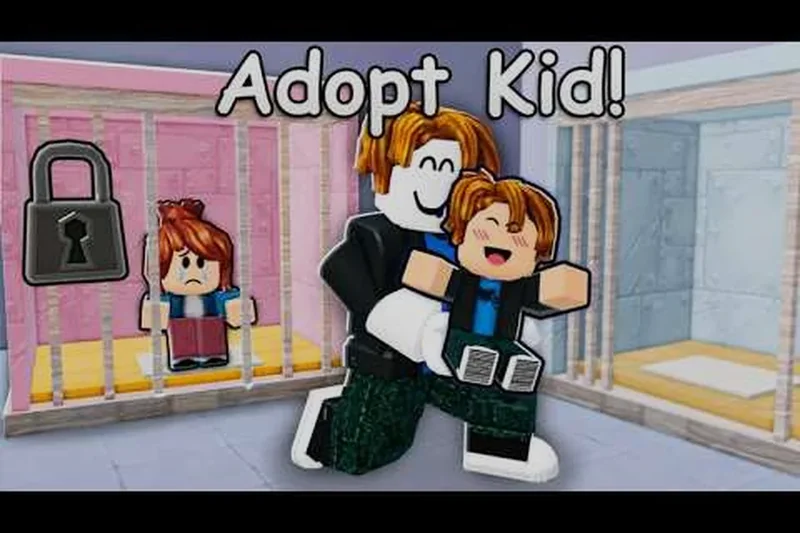
This moment supports choosing a baby, driving it home, and naming it as part of the home-placement step.

Avoid the common blockers
The fee is higher than expected
That is expected when you already adopted children. Check the current fee in the adoption interaction and reserve Coins for it. Daily rewards and Care Tasks are useful ways to build a buffer before returning to the centre.
You cannot add another child
Check Family Capacity. If the home is full, prepare a larger house before trying again. The evidence supports the relationship between house size and capacity, but not a complete upgrade-price or capacity schedule.
The queue shortcut fails
Return to the ordinary Waiting Line and wait to be called. The observed failed purchase means the skip option should not be presented as a stable adoption method.
You are unsure which baby to choose
Choose based on the available presentation or your preference. The supplied evidence does not document fixed rarity, attributes, or special abilities that would make one visible baby objectively better.
What to do after adoption
Once the baby is home, continue the separate care loop: feed, pick up, play with, cuddle, dress, and help the child grow. Collect Coins and complete available care tasks while watching your capacity. When you are ready to expand again, confirm that the larger fee and your house limit both fit before returning to the Adoption Centre.
SourcesReviewed October 31, 2026
https://raisethebiggestfamily.wiki/en/adoption
https://www.raise-the-biggest-family.wiki/adoption/Raise-The-Biggest-Family-how-to-adopt.html
https://www.youtube.com/watch?v=9tkXmqHRytM
https://www.youtube.com/watch?v=YxyeD_B_WhA
The adoption sequence, increasing-fee observation, Nursery choice, and home return are supported by the cited community pages and video transcripts. Exact fees, queue durations, prompt wording, house prices, capacity tiers, and baby attributes are not documented as complete, version-stable values in the supplied evidence. The queue-skip failure is an observed report, not a guarantee that every purchase attempt will fail. Check the live in-game panels for mutable values.